Nescroll docs
v1.0.0
Get help
● Reference · How it fits together

Architecture
one app, two extensions, no server.

Everything runs on the iPhone. The app shows the sites in web views and filters them; two small Screen Time extensions keep the native apps locked even when the app is closed.

SwiftUIWebKitScreen Time

01Diagram

Nescroll architecture: the app with site tabs and the Lock tab, the App Group shared state, the monitor and shield extensions, iOS Screen Time, and an optional rules.json on your HTTPS server Nescroll app (NoReels target) Site tabsWKWebView per sitepage.js + Platform.swiftfilters, redirects Lock tabFamilyActivityPickertimed lock, quiet hoursLockModel.swift Settingsfilter switches, 7-day statsUserDefaults (on device) AppConfig.swiftname, links, sites,rules URL App Group shared stateLockShared.swift Monitorextensionraises/lowers Shieldextensionlock screen iOS Screen TimeManagedSettings, DeviceActivity Optional: your HTTPS serverrules.json with filter fixes (RemoteRules.swift). Off by default.
The app writes the chosen apps and lock times to the App Group; iOS wakes the extensions at the start and end of a lock.

02What happens when you open a site

  1. The tab loads the site's mobile page in a WKWebView (Browser.swift).
  2. page.js is injected at document start with the enabled filters from Platform.swift plus any rules from rules.json.
  3. Redirects send endless pages to calm ones (for example a Shorts link opens as a normal video); selectors and labels hide feed items as the page renders.

03The control panel

Nescroll has no web admin console and no server. The in-app Settings screen is the only control panel: per-filter switches, statistics and sign-out. Everything else is set in AppConfig.swift before you build.
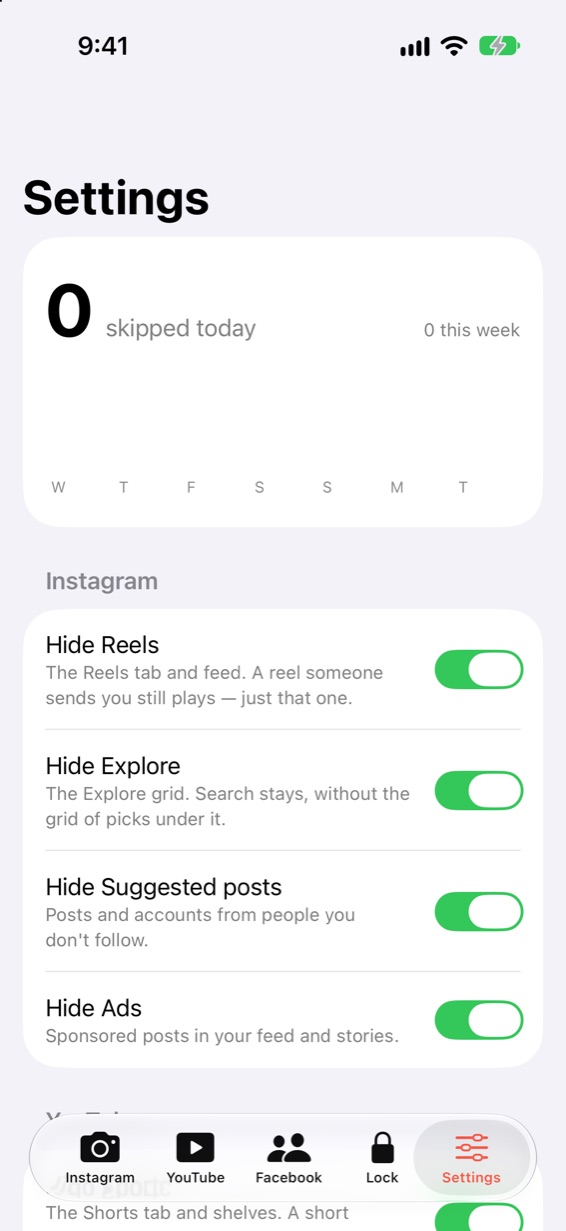
Settings screen, the app's only control console: filter switches and the 7-day chart